FPL mini-league on a TV
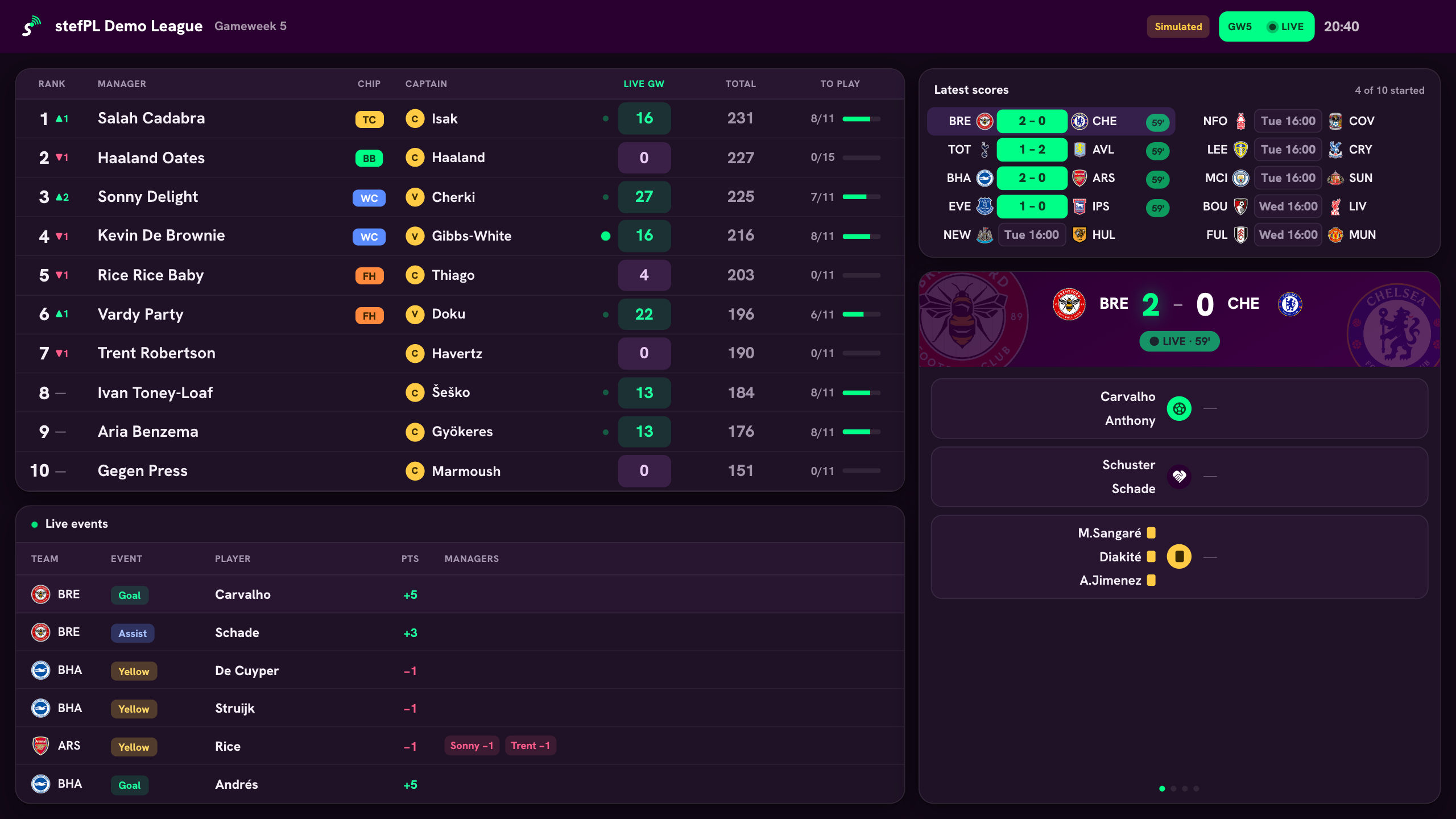
TV mode is a full-screen view of the gameweek for a TV or projector. It shows your mini-league's live table next to every fixture, and updates on its own while matches are played.
Free · No account · No ads
What's on screen
- The live mini-league table
- Every fixture's score, with a rotating breakdown of each match
- A feed of goals, assists and cards, with the points each one is worth and the managers it affects
Controls
Select a fixture to keep it on screen, or a manager to show their squad. Open TV mode from the TV button in the header on a tablet or desktop browser, then cast or connect that screen to the TV.
Questions
What do I need to use TV mode?
A tablet, laptop or desktop browser connected to the TV or projector, by cable or screen casting. No app install is needed.
Where do I find my FPL league ID?
You don't need it: enter your FPL team ID instead and pick from the leagues you are in. Your team ID is the number in your team's address, fantasy.premierleague.com/entry/ID/. To add a league directly, open it on the FPL website — the number after /leagues/ is the league ID.
Is it free?
Yes. stefPL is free to use and has no ads.
Is stefPL an official FPL app?
No. stefPL is an independent app. It is not affiliated with or endorsed by the Premier League or Fantasy Premier League.
More in stefPL
- Live mini-league table Standings recalculated from live points during every match.
- Live auto-subs Substitutions applied as soon as a starter's matches finish.
- H2H side league Automatic head-to-head fixtures, table and playoffs from your classic league.
- Mini-league cup Every cup tie scored live, from round one to the final.
- Prize money Buy-in, pot split and each manager's winnings, tracked live.